Sparks
Sparks are where ideas begin. A spark captures a thought, problem, or observation that isn't ready to become a full project yet. You can explore it with Q's AI - research the landscape, challenge assumptions, and find an interesting angle - then graduate it into a project when it's ready.
When to Use Sparks
Sparks are for when you have something worth capturing but don't want to commit to a full project setup:
- A product idea you overheard or read about
- A problem you keep running into
- A URL to something interesting you want to explore
- A half-formed thought that needs refinement
Sparks support plain text and URLs. When you paste a URL, Q automatically extracts the page title and description for context.
The Spark Canvas
Once you create a spark, it opens in a canvas view with progressive sections that fill in as you chat with Q.
AI Classification and Score
Q automatically classifies your spark (e.g. product idea, problem observation, market opportunity) and assigns a score from 0–100 indicating how developed and viable the spark is.
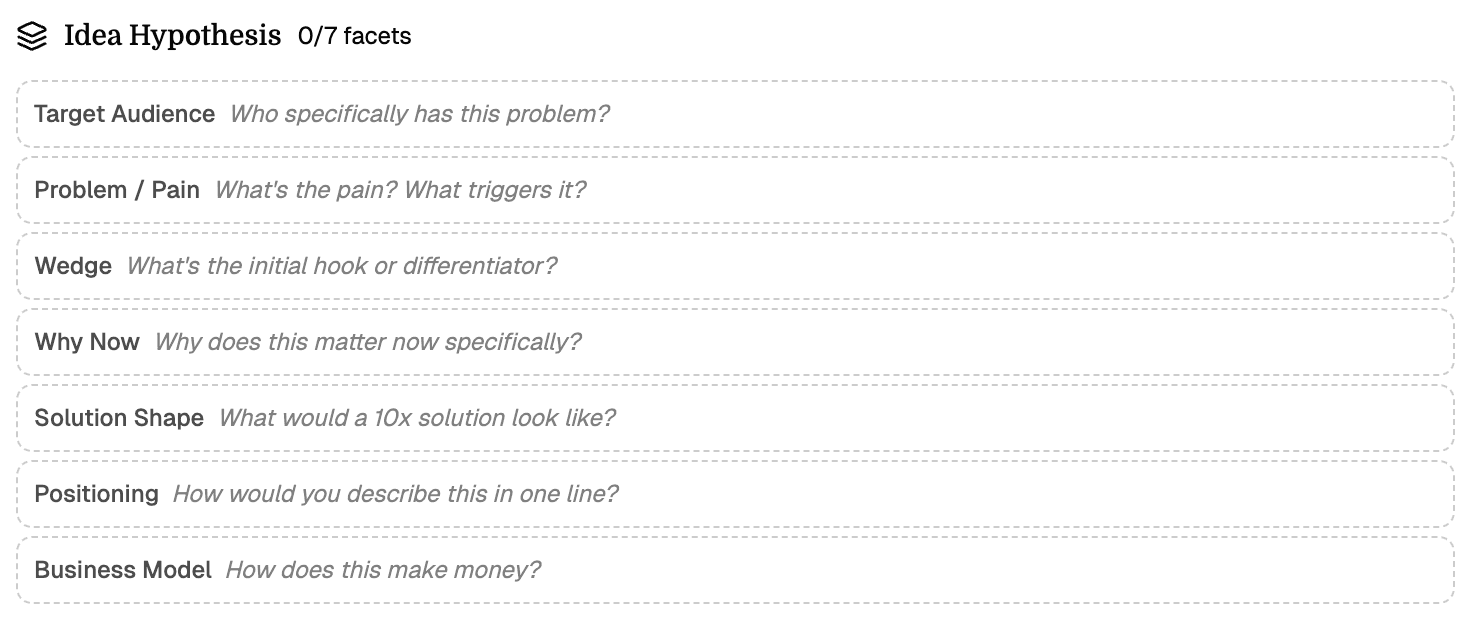
Idea Hypothesis (7 Facets)
The core of every spark is a structured hypothesis with seven facets:
| Facet | What it answers |
|---|---|
| Target Audience | Who specifically has this problem? |
| Problem / Pain | What's the pain? What triggers it? |
| Wedge | What's the initial hook or differentiator? |
| Why Now | Why does this matter now specifically? |
| Solution Shape | What would a 10x solution look like? |
| Positioning | How would you describe this in one line? |
| Business Model | How does this make money? |
You can fill these in yourself or let Q populate them through conversation. Each facet is editable at any time.
Challenging Questions
Q generates probing questions to stress-test your idea. Questions can be validated or dismissed as you work through them, helping you identify blind spots early.
Insights
Key findings that emerge during exploration. These can come from your conversation with Q, from landscape research, or from your own observations. Insights are pinned to the canvas for reference.
Concerns
Known risks and potential problems with the idea. Like insights, these are captured during exploration so you can address them before committing to a project.
Solution Angles
Different approaches to solving the problem. Each angle includes:
- Target audience - who this approach serves
- Differentiation - how it stands out from existing solutions
- 10x factor - what makes this dramatically better, not just incrementally better
Q can generate multiple angles for you to compare, or you can define your own.
Graduating a Spark to a Project
Once you've explored a spark enough - filled in facets, gathered insights, researched the landscape - a graduation section appears at the bottom of the canvas.
Clicking Start Building packages all your exploration data (hypothesis, insights, questions, concerns, angles, landscape, and your conversation history with Q) and feeds it into the Project Setup Wizard. From there, Q guides you through creating a fully structured project.
Graduation doesn't delete the spark. You can always go back and review your original exploration.
Exploring with Q
The primary way to develop a spark is by chatting with Q in the sidebar. You can ask Q to:
- Fill in hypothesis facets based on your description
- Research the competitive landscape
- Generate solution angles
- Challenge your assumptions with hard questions
- Score the opportunity
Q progressively fills in the canvas sections as the conversation develops. You stay in control - edit, remove, or override anything Q suggests.